Cybersecurity expert warns of 30% spike in attacks targeting business travellers this season
The holiday season brings with it packed airports, last-minute business trips, and professionals racing to close deals before year-end. But while you’re focused on catching flights and meeting clients, cybercriminals are working overtime. Research shows that ransomware attempts globally increase by approximately 30% during the holiday period, with business travellers becoming especially vulnerable targets.
For professionals carrying laptops, phones, and tablets loaded with financial data, client information, and confidential documents, every airport lounge and hotel lobby presents potential security risks.
Chris Shyrock, Director, Support Services at Atlantic.Net, a global cloud infrastructure provider specialising in security and compliance, warns that the combination of holiday travel and relaxed security awareness creates dangerous opportunities for attackers.
“Business travellers often don’t realise they’re walking through some of the most dangerous digital environments with devices that could grant access to their entire company network,” Shyrock explains. “Cybercriminals know that during the holidays, professionals are rushed, distracted, and more likely to make security mistakes.”
Below, Shyrock reveals the specific threats every business traveller should watch for and how to protect yourself.
Why Business Travellers Are Prime Targets
Airports, hotels, cafes, and shared WiFi hubs create fertile ground for cyberattacks. As crowded, high-traffic environments, they offer cybercriminals countless opportunities to intercept data, steal devices, or trick travellers into compromising their security. The rushed nature of travel amplifies these risks, with professionals checking emails while boarding, reviewing presentations in airport lounges, or accessing company systems from hotel rooms, often bypassing their usual security protocols.
Business owners and professionals are especially attractive targets because their devices contain valuable information: financial records, client databases, login credentials, intellectual property, and confidential business documents. A single compromised device doesn’t only affect one person, but rather can provide a gateway to entire company networks, customer data, and sensitive communications.
“The value of what’s on a business traveller’s laptop or phone makes them worth significantly more effort than targeting average consumers,” says Shyrock. “Attackers know that executives and professionals often have elevated access privileges, making them the keys to much larger breaches.”
The Hidden Threats Lurking in Travel Hubs
Shyrock identifies the most common attacks that business travellers encounter and explains how each one works:
Rogue Public WiFi Networks
That “Free Airport WiFi” or “Hotel Guest Network” might not be legitimate. Cybercriminals set up fake WiFi hotspots with names that look official, positioning themselves between your device and the internet. Once connected, they can intercept everything you send or receive: emails, passwords, financial transactions, and confidential files.
“We’ve seen attackers set up networks called things like ‘Airport_Free_WiFi’ or ‘Hilton_Guest’ right next to the legitimate networks,” Shyrock notes. “Travellers connect without thinking, and suddenly all their data is flowing through a criminal’s laptop.”
Shoulder Surfing
In crowded airport gates, hotel lobbies, and coffee shops, someone watching over your shoulder can capture passwords, access codes, client information, or confidential emails. Business travellers often work on sensitive documents in public spaces, unaware of who might be observing their screens.
Device Theft
A moment of distraction at security checkpoints, baggage claims, or conference venues is all it takes. Thieves specifically target business travellers, knowing their devices likely contain valuable data and may not have adequate security measures enabled.
Phishing Through Urgent Travel Updates
Cybercriminals send fake emails or text messages that appear to come from airlines, hotels, or travel booking sites. These urgent messages about flight cancellations, booking confirmations, or security alerts contain malicious links designed to steal credentials or install malware. During the hectic holiday travel period, stressed professionals are more likely to click without verifying.
“Attackers exploit the anxiety around travel disruptions,” Shyrock explains. “When you get a message saying your flight is cancelled or your hotel reservation has a problem, your instinct is to click immediately and resolve it. That’s exactly what they’re counting on.”
Malware Hidden in Hotel USB Ports and Charging Stations
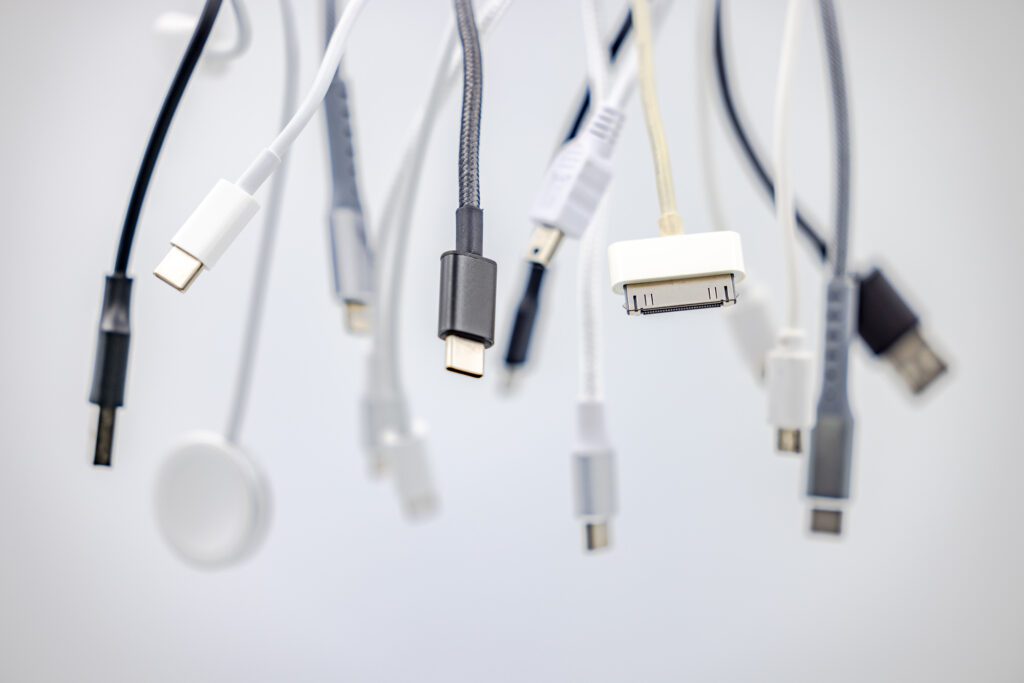
Those convenient USB charging ports in hotel rooms, airports, and conference centres can be compromised with malware. When you plug in your device to charge, malicious software can automatically install itself, giving attackers access to your data or the ability to track your activities.
Bluetooth and Proximity Attacks
Leaving Bluetooth enabled on your devices in crowded areas allows attackers to attempt connections or exploit vulnerabilities.
In airports and hotels, cybercriminals can use Bluetooth to identify potential targets, push malicious files, or gain unauthorised access to devices.
Chris Shyrock, Director, Support Services at Atlantic.Net, commented: “The best defence is preparation. Before you travel, create a cybersecurity checklist and follow it religiously. Use a VPN on all public networks, no exceptions. Never connect to WiFi networks without verifying their legitimacy with hotel or airport staff. Bring your own charging cables and use wall outlets instead of USB ports.
“Enable multi-factor authentication on all accounts, keep your devices updated with the latest security patches, and use privacy screens to prevent shoulder surfing. Turn off Bluetooth, WiFi, and auto-connect features when you’re not actively using them. Most importantly, if you receive any urgent travel-related messages, don’t click links, and instead go directly to the airline or hotel website.
“Consider the data you’re carrying. Do you really need access to everything on your trip? Sometimes the smartest move is leaving sensitive files on secure company servers and accessing only what you absolutely need. One compromised device during a holiday trip could mean starting the new year dealing with a massive data breach.”